Space Works Organization · Features
Reports and analytics
Membership, renewals, money and tax reports for each organisation, and aggregate platform analytics, every figure counted the same way each time.
What it does
- Organisation reports live under Reports (
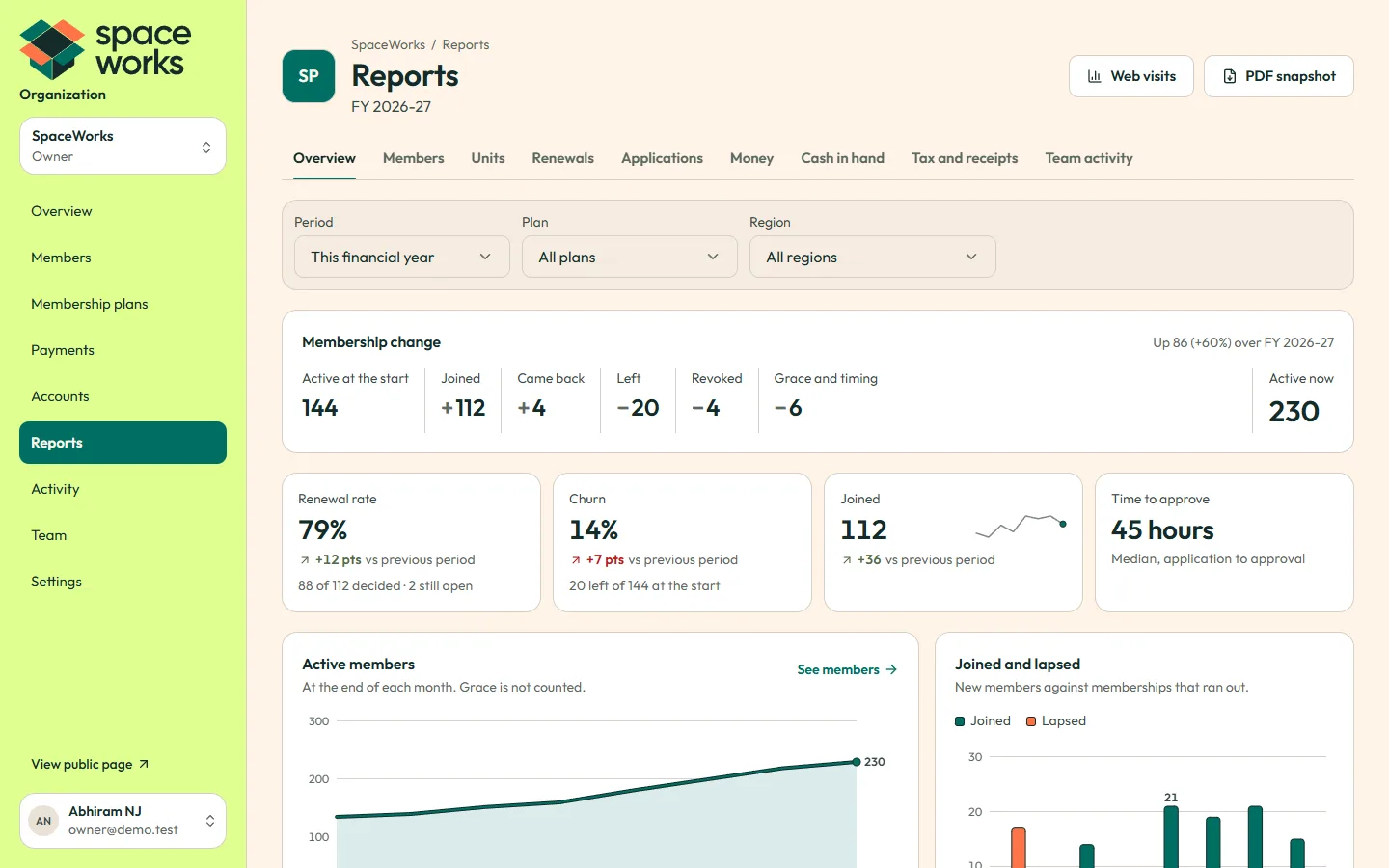
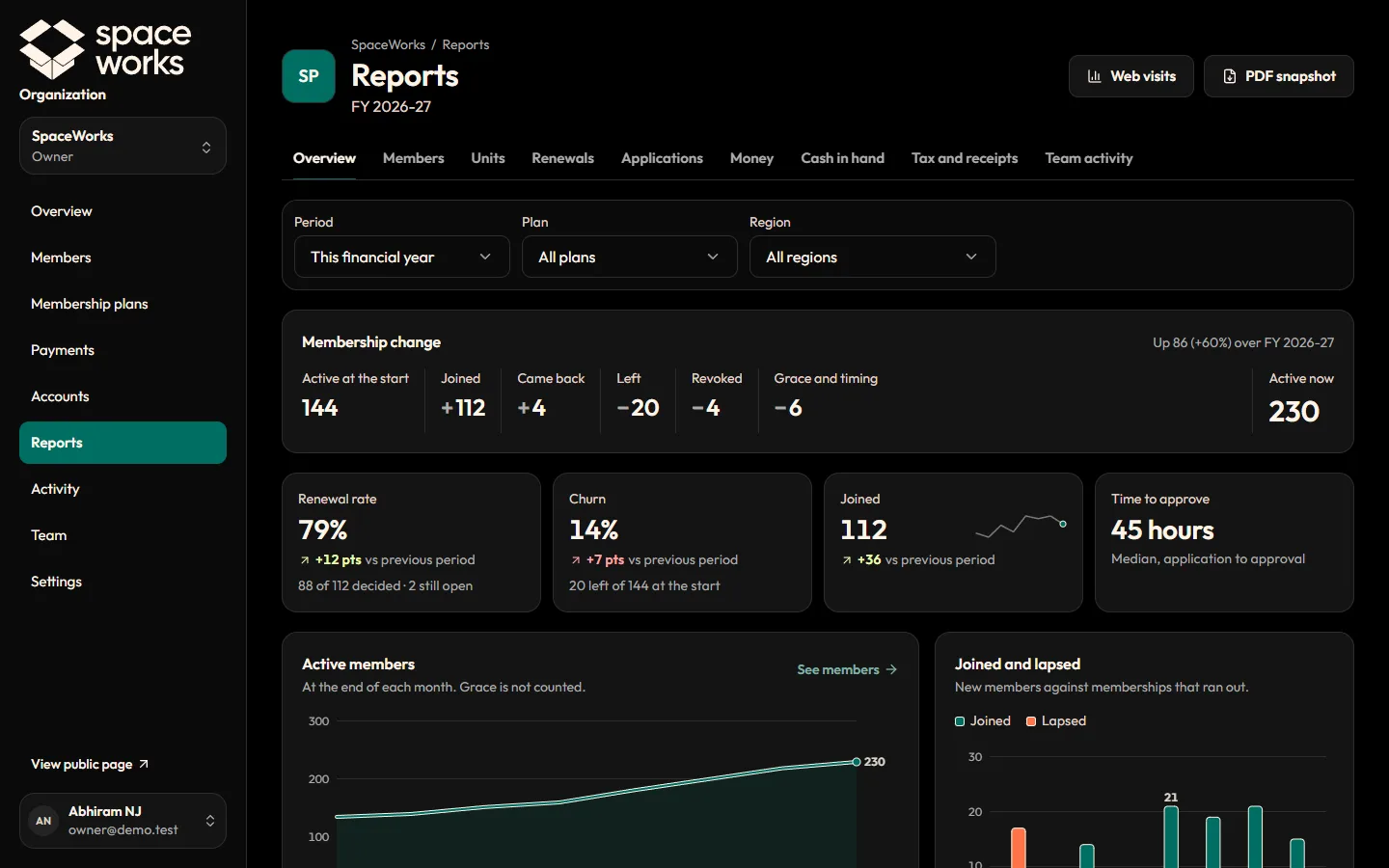
/dashboard/<org>/reports), in tabs: - Overview: the membership change bridge (start, joined, came back, left, revoked, end), renewal rate, churn, joined and time-to-approve tiles with changes against the previous period, trends and an attention list.
- Members: unit league table, plan mix, join source, roles, state, tenure, record gaps (no phone, state, unit or photo), and the member register.
- Units: shown once the organisation has units. One row per unit on the level below, each counting its whole subtree, with growth, renewal rate and, for finance roles, money. A row drills down a level. A breakdown by any grouping sits beside it, as counts only.
- Renewals: due, renewed, renewal rate, first-year rate, churn and retention, a 13-week expiry calendar, the renewal worklist with a bulk reminder, cohort retention and a win-back list.
- Applications: waiting (flagged after 7 days), time to approve (median and 90th percentile), approval rate and the join funnel.
- Money: collected net of refunds, collection rate, failed online payments, splits by plan, unit, fee, provider and method, a renewal forecast, outstanding with ageing, the offline queue, maker-checker figures, waivers and subscription income by financial year.
- Cash in hand: offline money recorded by each collector, per unit and currency, with what is still awaiting confirmation. A member's own "I've paid" claim never counts.
- Tax and receipts: the numbering check, the documents register, GSTR-1 tables, GSTR-3B, monthly liability and single-rate tax summaries.
- Team activity: actions per member of staff by category, over time, and the latest actions.
- Filters on every tab: period (This financial year, Last financial year, Last 12 months, Last 90 days, Last 30 days, This month, Custom dates), plan and unit. Periods start and end at midnight in the organisation's time zone.
- Drill-down. Every tile and bar opens the members list showing exactly the members it counted, inside your own scope.
- Exports. Reports download as CSV, and every download is written to the audit log with its filters and row count. The overview prints as an A4 PDF snapshot from the browser. The month's GSTR-1 file downloads as JSON for the GST offline tool.
- Web visits. Reports, Web visits shows views of the organisation's public pages each day and by page, with a CSV. Visits are counted by Space Works Organization itself, with no cookie and nothing about the visitor stored.
- Dashboard home. The organisation overview shows active members at each month end, joined against lapsed, renewals due in the next 30 days and, for finance roles, money collected and outstanding.
- Monthly summary email. Each owner, manager and treasurer gets last month's members, renewals, money (finance roles only) and waiting applications, for what they can see. Each person turns it off with Email me a monthly summary on the organisation overview.
- Platform analytics for the super admin:
- Super admin, Analytics (
/super-admin/analytics) has six tabs, described under "Platform analytics tabs" below. Overview compares every organisation (active members, growth, renewal rate, revenue, outstanding, last staff sign-in, limits used, dormant) and shows platform trends and failures, with an audited CSV. - Each organisation's own analytics page (
/super-admin/orgs/<id>/analytics) shows its member trend, renewal rate, revenue, top-level breakdown, grouping breakdown and limits used. Views are audited. - Super admin, Reports (
/super-admin/reports) covers the organisation pipeline, members across organisations, payment volume, usage against limits, the email outbox and system health. - Platform analytics show counts, unit and organisation names and money totals only, never a member's name, email or phone.
Platform analytics tabs
The super admin's Analytics page (/super-admin/analytics) has these tabs. Growth, Money and Organisations share a Range (30 days, 90 days, 12 months or Financial year, April to March, in UTC days); Operations has its own Days (7, 30 or 90). The range stays as you move between tabs, and the page works out the same-length period just before it for every comparison.
- Overview: organisations compared, platform trends and failures, with the CSV export.
- Growth:
- Headline tiles with the change since the previous period: live organisations, organisations created, members (all records), active members, joined, renewed, lapsed, reinstated, renewal rate and churn rate. A rate's change is in percentage points; for lapses and churn, higher is worse.
- Charts of active and grace members over time, joined, renewed, lapsed and reinstated, the renewal and churn rates, and organisations created against live. A period with no rollup yet shows "No data".
- Organisations by status now: active, suspended, pending and closed.
- Money: one section for each currency, largest first, never added together: collected, refunds, net, online against in hand, and Outstanding now (owed now, not tied to the range). Every figure but outstanding shows its change. A chart shows online and in-hand money per period beside refunds. With no payments in the range, the tab says so.
- Organisations: every active or suspended organisation ranked. Sort by name, created, members, active members, growth, renewal rate, revenue or last activity; filter by status; choose the currency that revenue is shown and sorted in; choose 10, 20, 50 or 100 rows a page. A row opens that organisation's own analytics.
- Operations: how the platform is delivering, by day:
- Outbox: messages sent, failed, retrying and pending, by day and by kind, with the oldest one still waiting.
- Email: sent, failed, bounced and complained, and how many addresses are on the suppression list.
- Messages and alerts: member messages by channel and team chat alerts.
- SMS codes: requested, used and expired, by delivery report and purpose.
- Sign-ins: failed and blocked sign-ins by day, and by method and reason.
- Background jobs: each job's last run and whether it is fresh, stale or never run.
- Storage: bytes and files by provider, from the stored file records.
- Web: the platform's own public-page visits and outside analytics, as before (see web analytics).
Every figure is an aggregate. No member name, email address, phone number, address, message text or error text reaches these pages, and anyone who is not a super admin gets a not-found page. Each definition, such as renewal rate, churn and the comparison period, is in Platform analytics. Results are cached for five minutes.
Rules every figure follows
- Counted in house from the application's own records, by one tested engine. No outside provider is involved.
- Never across currencies. Every money figure is a list of totals per currency, with the organisation's default first.
- Grace is not active. Members in grace are counted separately. The renewal rate is renewed ÷ (renewed + lapsed); open terms wait until grace ends, and nothing decided shows "—", never 0%.
- Refunds count on their own date. Collected money is paid payments by the day paid, less processed refunds by the day processed. Waived fees are never collected.
- Contact details are masked (
s•••@e•••.com,•••• 45) for roles withoutmembers.contact, in exports too.
Send renewal reminders in bulk
- Open Reports, Renewals and scroll to the renewal worklist.
- Tick the memberships to remind and send. The server checks each one again and skips any outside your scope or that can't be renewed.
- Each membership gets at most one manual reminder a day.
Who can use it
| Report | Permission | Starter roles |
|---|---|---|
| Overview, Members, Units, Renewals, Applications, Web visits; membership CSVs | reports.membership |
Owner, Manager, Treasurer, Viewer |
| Money, Cash in hand, Tax and receipts; finance CSVs | reports.finance |
Owner, Manager, Treasurer |
| Team activity | audit.view |
Owner, Manager |
| GSTR-1 JSON file | reports.gstr1 ● |
Owner, Manager, Treasurer |
| Bulk renewal reminders | members.manage |
Owner, Manager |
| Platform analytics and platform reports | Super admin only | None |
- Staff limited to a unit see only their own subtree in every report; the unit filter can narrow that but never widen it. A unit-limited manager sees only the team inside their subtree in Team activity.
- ●
reports.gstr1is for the whole organisation only and is refused to staff limited to a unit. - Web visits is whole-organisation public-page information, not member data, so staff limited to a unit may read it, and the plan and unit filters don't apply to it.
- A suspended or archived organisation keeps
reports.financeandreports.gstr1, so finance records can still be exported.
Turning it on or off
- Reports are always on and need no set-up. Tabs appear according to the viewer's permissions, and Units only once the organisation has units.
- The monthly summary email is a personal choice on the organisation overview.
- Web visit counting is always on and can't be switched off; outside analytics providers are separate, see Web analytics.
Screenshots
API
There is no public REST API yet. Report CSVs stream from GET /api/exports/reports/{org}/{report} (rate limited and audited), web visits from GET /api/visits/export/{org}, the GSTR-1 file from GET /api/exports/gstr1/{org}, and the platform comparison from GET /api/exports/platform/analytics. See Webhooks and endpoints. The source is on GitHub.
Related
- Payments, Receipts and refunds, Renewals, Units and Groupings
- Web analytics for outside providers and visit counts
- Treasurers' manual, Limited staff manual and Super admins' manual
- Every definition in full: Membership definitions and Finance definitions; tax detail in GST
- The list of audited actions: Audit actions
From SpaceWorks-Organization/docs/features/reports-and-analytics.md at 7cd1441, updated 2026-11-21. Suggest a change