Space Works Organization · Features
Receipts and refunds
Every paid fee gets a properly numbered receipt or tax invoice, and every correction, refund or expense leaves a trail that is never rewritten.
What it does
- A document for every paid payment. Depending on the tax mode it is a receipt, a GST tax invoice or a bill of supply. Free plans and waived fees issue nothing.
- Gapless numbers. Receipts, tax invoices and bills of supply share one series per organisation per financial year, and credit notes have a second series. Numbers look like
SWO-2627-00042andSWO-2627-C00007: an optional prefix of up to four letters or digits, the year, then a five-digit sequence. Numbers never skip or repeat, even when payments arrive at the same moment. - Financial year. April to March by default, in the organisation's time zone. The start month is fixed once memberships exist.
- Frozen at payment time. A payment keeps the tax settings it was created with, so changing them later never alters earlier receipts.
- Drawn on demand. PDFs are drawn from the frozen record each time they are opened, so a drawing problem never uses up a number. Receipts are attached to the payment email, and members find them in their account.
- Paid rows are never edited or deleted. Database rules enforce it. A mistake is reversed with a refund, which issues a credit note with the tax shared out over the original lines so every column adds up. A full refund reverses the invoice exactly.
- Refunds. Offline refunds are recorded as money already handed back and processed at once. Gateway refunds go to Razorpay or Stripe and stay pending until the provider confirms; pending gateway refunds are checked again automatically for up to 30 days, and any pending over a day are flagged on the Payments page.
- Refund policy and member requests. The organisation picks a policy: No refunds (the default), Full refund within the window, or Unused share of the membership fee, within the window. Joining and rejoining fees are never offered back under the unused-share policy. Inside the window, members see Cancel and request a refund on their membership page with the amount on offer. Nothing changes until staff decide.
- Accounts ledger. Other money received and payments made are recorded under Accounts. An entry is voided once with a reason and never deleted.
- Receipts and payments account. One statement per currency and financial year, on a cash basis, split into cash and bank: opening balance plus receipts less payments gives the closing balance. Membership fees count by the day they were paid and refunds by the day they were processed.
Refund a payment
- Open the payment under Payments and choose Refund.
- Enter the amount (up to what is left to refund) and a reason.
- Tick Also end the membership to cancel the membership it paid for; its card then stops verifying.
- The credit note is issued when the refund is processed.
Approve or decline a refund request
- Open Payments and choose the Refund requests filter, or follow the email sent to the organisation-wide finance team.
- On the payment, Approve refund fills in the amount from the policy, which you can change up to what is left. Unless unticked, the membership ends. The member is emailed.
- Decline needs a note, which is emailed to the member; the membership carries on.
A member can withdraw an open request. Each payment has at most one open request, requests are decided once and never deleted, and a refund made straight from the payment closes any open request on it.
Record other income or an expense
- Open Accounts and pick the financial year.
- Choose Money received or Payment made, and fill in the entry.
- To correct one, choose Void and give a reason. The entry stays in the list, marked as voided.
Opening balances (cash in hand and at the bank) are entered per year and currency on the same page, and the statement can be printed.
Note: The documents follow GST rules as commonly applied to membership fees. This is not tax advice; check your setup with your accountant.
Who can use it
| Task | Permission |
|---|---|
| See payments and download their receipts and credit notes | payments.view |
| Refund, approve or decline refund requests, issue a held receipt | payments.manage |
| Choose the tax mode, receipt prefix and refund policy | payments.settings ◆ |
| See the Accounts page | payments.view, held for the whole organisation |
| Record, void and set opening balances in Accounts | accounts.manage ◆ |
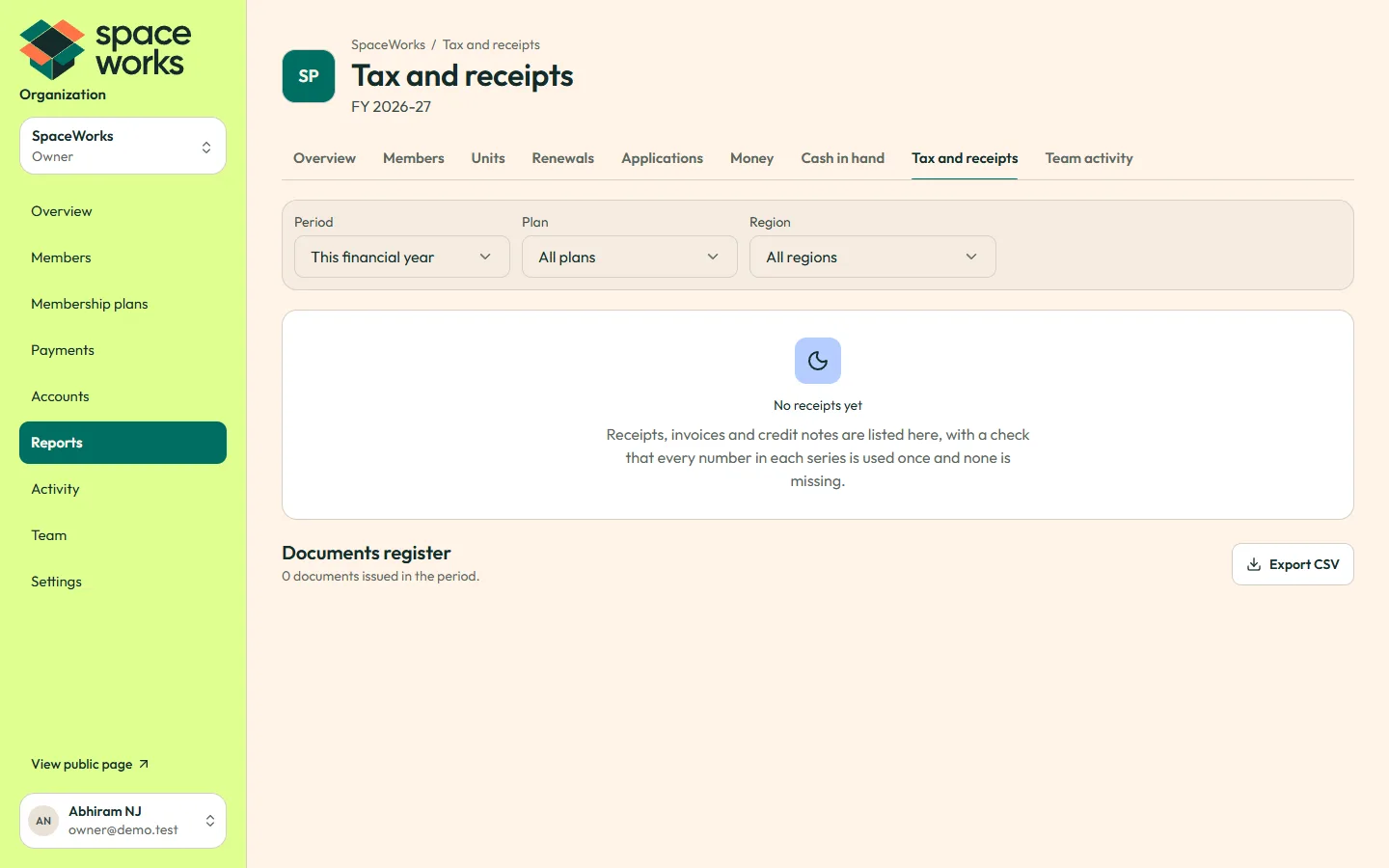
| The documents register and GSTR-1 tables (Reports, Tax and receipts) | reports.finance |
| Download the month's GSTR-1 JSON file | reports.gstr1 ● |
- ◆
payments.settingsandaccounts.manageare org-wide to change: staff holding a role for one unit can read the screens but never change them. The accounts cover every unit, so staff limited to a unit see a note instead of the statement. - ●
reports.gstr1is for the whole organisation only and is refused to staff limited to a unit, because the file covers the whole GST registration. - Staff limited to a unit download documents only for members inside their subtree. A member downloads their own receipts from their account, with no authenticator needed.
- The Owner, Manager and Treasurer starter roles hold all of these.
Turning it on or off
- Tax mode: Settings, Payments and tax, Tax and receipts: No tax, One tax rate (with a tax name and rate, for VAT and similar) or Indian GST (GSTIN, registered state, legal name, SAC, scheme, rate, Membership fees are exempt, and how to treat plans priced in other currencies). Plan prices include tax decides whether tax is worked out of the price or added on top. Receipt number prefix is optional.
- Refund policy: the same page, Refunds: Refund policy, Days to ask after paying and Policy in your words, shown to members next to the cancel button.
- Financial year: Settings, Money and year, Financial year starts in (needs
org.settings). - Documents and credit notes are always on; they can't be switched off.
Screenshots
API
There is no public REST API yet. Documents download from GET /api/documents/{id} for the finance team or the member the document was issued to, the GSTR-1 file from GET /api/exports/gstr1/{org}?month=… (audited), and gateway refunds are confirmed through the payment webhooks. See Webhooks and endpoints. The source is on GitHub.
Related
- Payments and Reports and analytics, whose Tax and receipts tab checks the numbering
- Member portal, where members see receipts and ask for refunds
- Treasurers' manual
- Operator detail: Tax on membership payments, Payments and Reports
From SpaceWorks-Organization/docs/features/receipts-and-refunds.md at 7cd1441, updated 2026-11-21. Suggest a change