Space Works Bookings · Overview
Overview



Host on a VPS · Cloud hosting · Quick start · Documentation · Contributing · Credits
Space Works Bookings is a free, open-source booking system from Space Works for a makerspace's rooms, studios, desks and halls. Publish your spaces with their own hours, prices and rules, let members and guests book them online, and run the front desk from a day sheet: approvals, check-in, no-shows and reschedules. Every booking can be free or paid, with Razorpay, Stripe, payments at the desk or pay later, and refunds that follow your own cancellation policy to the paisa. One self-hosted install runs several makerspaces, each with its own team, money and branding, and your customers' data stays in your own database.
What you can do
Publish your spaces
- Rooms, studios, desks and halls, each with photos, capacity, amenities and any number of identical units (eight hot desks book as one space).
- Opening hours per makerspace or per space, holiday exceptions and blackouts; times stay right across daylight saving changes.
- Hourly, half-day and day rates, member rates, peak pricing and add-ons (per booking, per hour or per person), with GST inclusive or exclusive and a SAC per space.
Take bookings
- A public page per makerspace and per space, with live availability, a quote that updates as you choose, and recurring bookings (daily or weekly) that list any clashes before you book.
- Free instant, free with approval, pay now, deposit and pay later (shown as payment pending with a due date), set once for the makerspace and overridden per space where needed.
- Holds keep a time while someone checks out, and two people can never get the same slot: the database refuses it.
- Every customer gets a private link to manage their booking: cancel, reschedule, add it to their calendar, pay and download a statement.
Run the front desk
- A Today sheet with check-in by button or code, no-shows, and a calendar of every space by day or week.
- Staff bookings on behalf of a customer, approvals, moves between spaces and reschedules, with every change on the booking's timeline.
- Branded emails for each step with calendar invites, and personal and team calendar feeds.
Take payments and give refunds
- Razorpay Checkout, Stripe Checkout, cash, UPI, bank transfer or pay later, with gapless receipts and credit notes.
- Refunds for every case: the cancellation policy's tiers, venue cancellations, cheaper reschedules, duplicate or late payments, refunds made in the provider's dashboard, failed refunds you retry or hand back by hand.
- A reconciliation page for open checkouts, payments to review and refunds still to finish.
Keep the spaces working
- Staff, and customers from their booking page, report problems with a space: what is wrong, how urgent, photos.
- A directory of your team's technicians and outside ones, with skills. Ask several at once by email, WhatsApp or Telegram; the first to accept takes it. Outside technicians work through a private link, no account needed.
- Fix notes, parts and the amount asked; verify, close or reopen; block a space's bookings while it is out of service; approve and pay out by cash, bank transfer or UPI.
Know how it's going
- An overview of today's arrivals, requests, overdue payments and the week's bookings.
- Reports on utilisation per space, bookings, no-shows, money received and refunds, and repairs against each space's revenue, with audited CSV exports.
- A finance ledger that records every payment, refund, repair payout and expense as it happens, with money in, out and net by financial year, category, way of paying and space, exported to CSV or Excel. Only bookings managers see it.
- An audit log of every settings, team, money and integration change.
Connect your other tools
- A REST API with read and write keys, documented in OpenAPI.
- Signed webhooks for bookings, payments, refunds, repairs and the finance ledger, with retries and a delivery log.
Run it safely
- Email and password or a one-time sign-in link, authenticator codes for every member of staff, known devices, IP blocking and breached-password checks. No third-party sign-in and no trackers.
- Four roles: the bookings manager runs everything, money included (and a makerspace always keeps one), front desk takes bookings and desk payments, viewers read, technicians see only their repairs. Every settings change is audited.
A look around
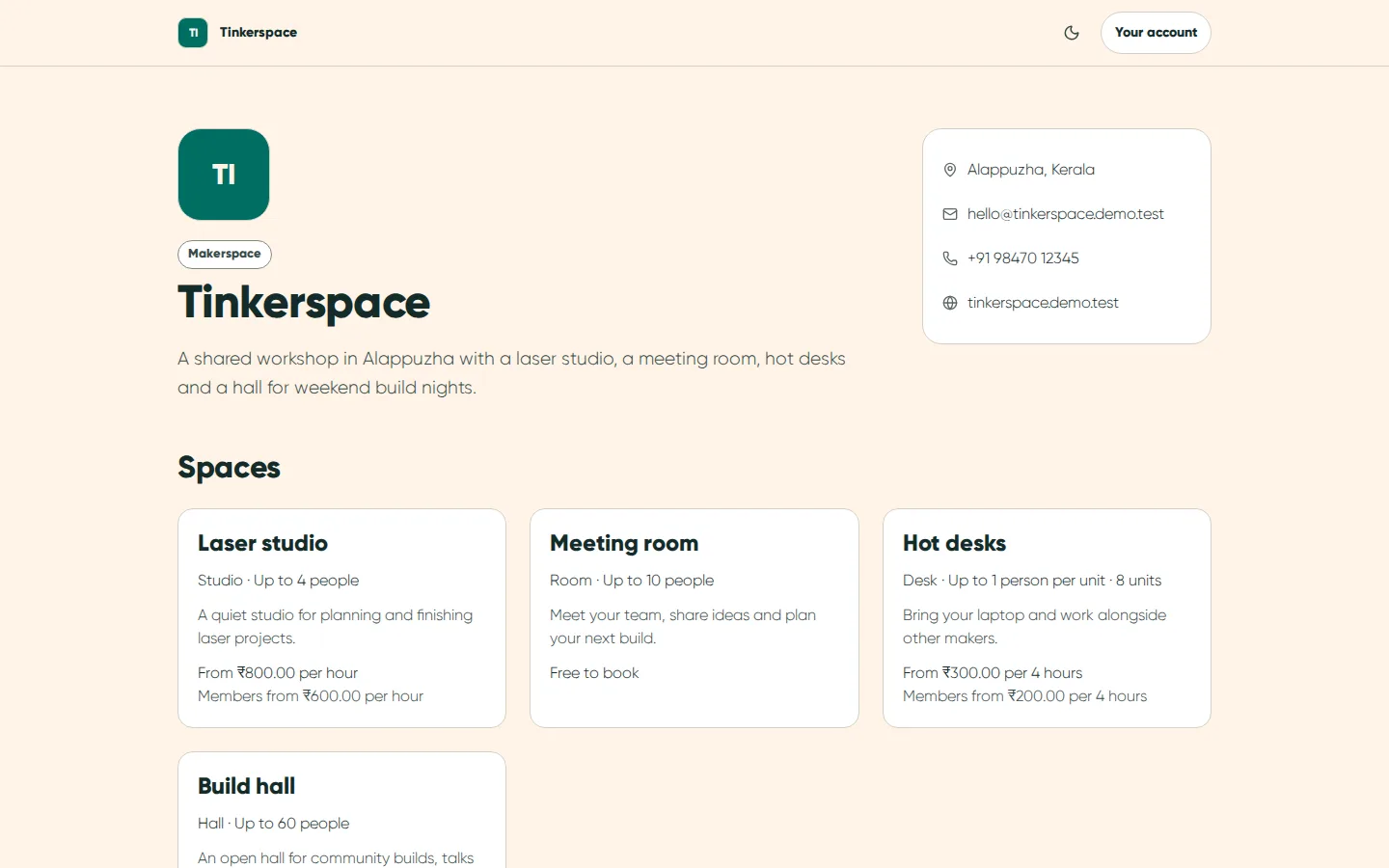
Your public page. Every space, what it holds and what it costs. |
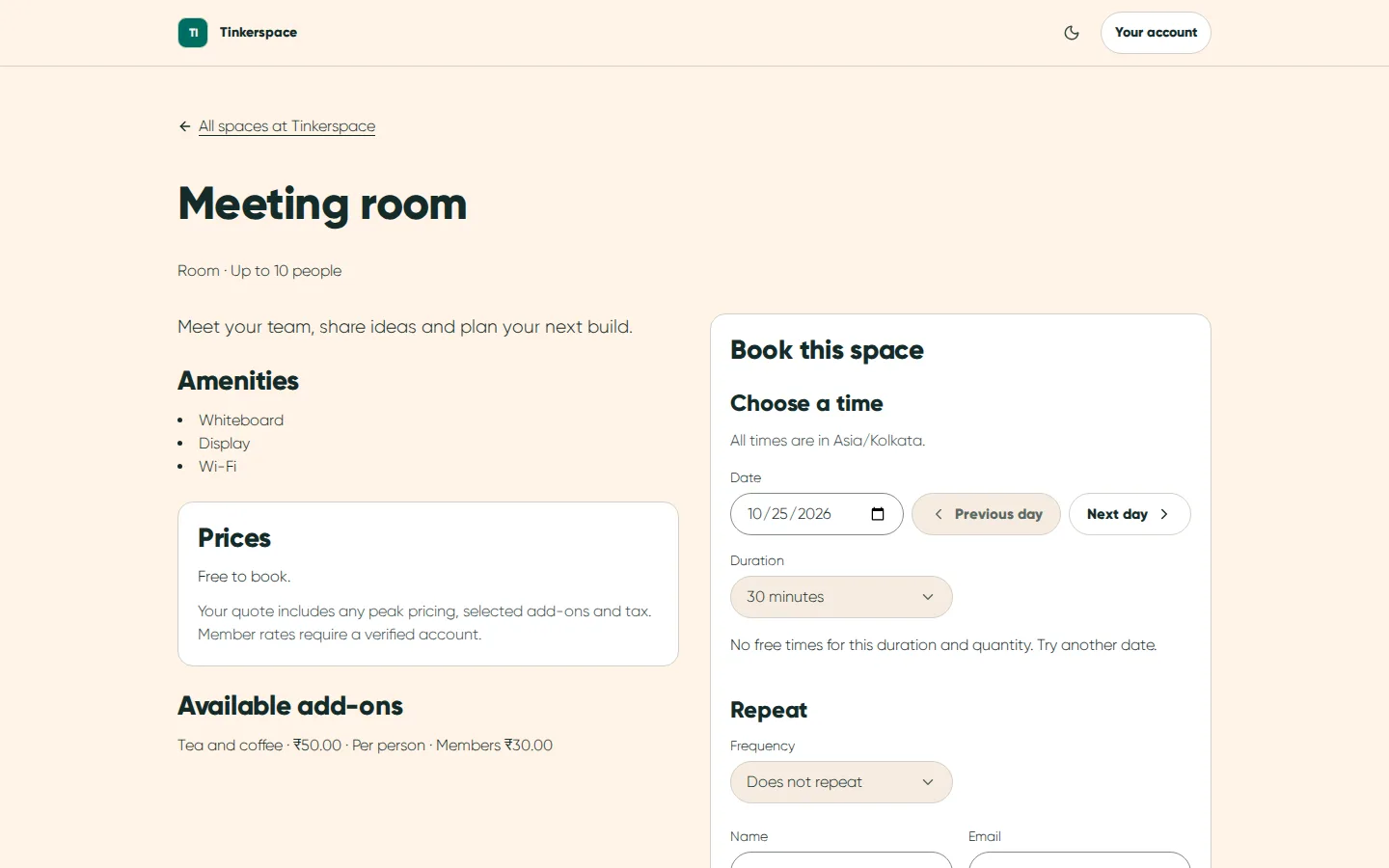
Book a space. Pick a day, a length and a start time. |
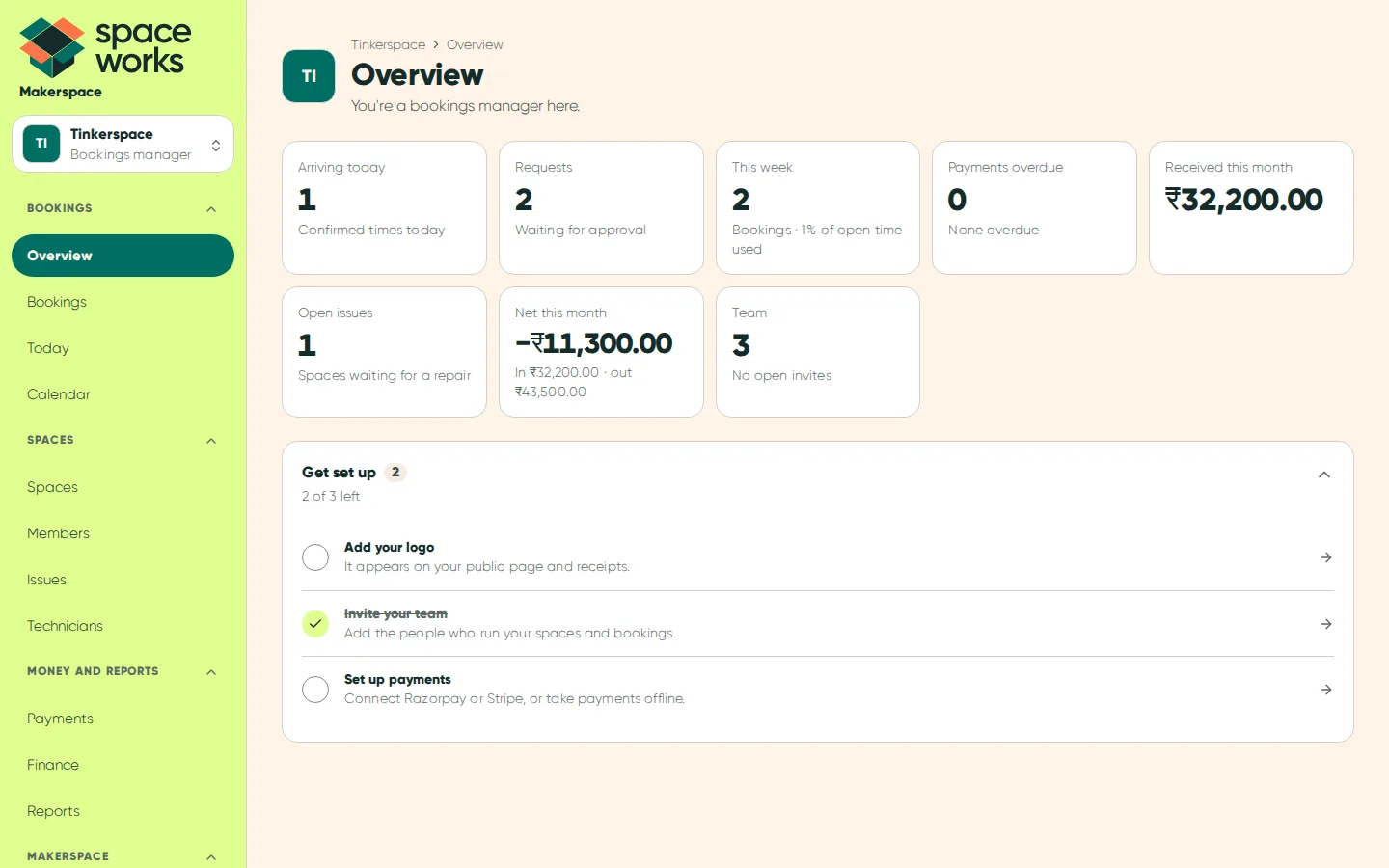
Overview. What needs you today. |
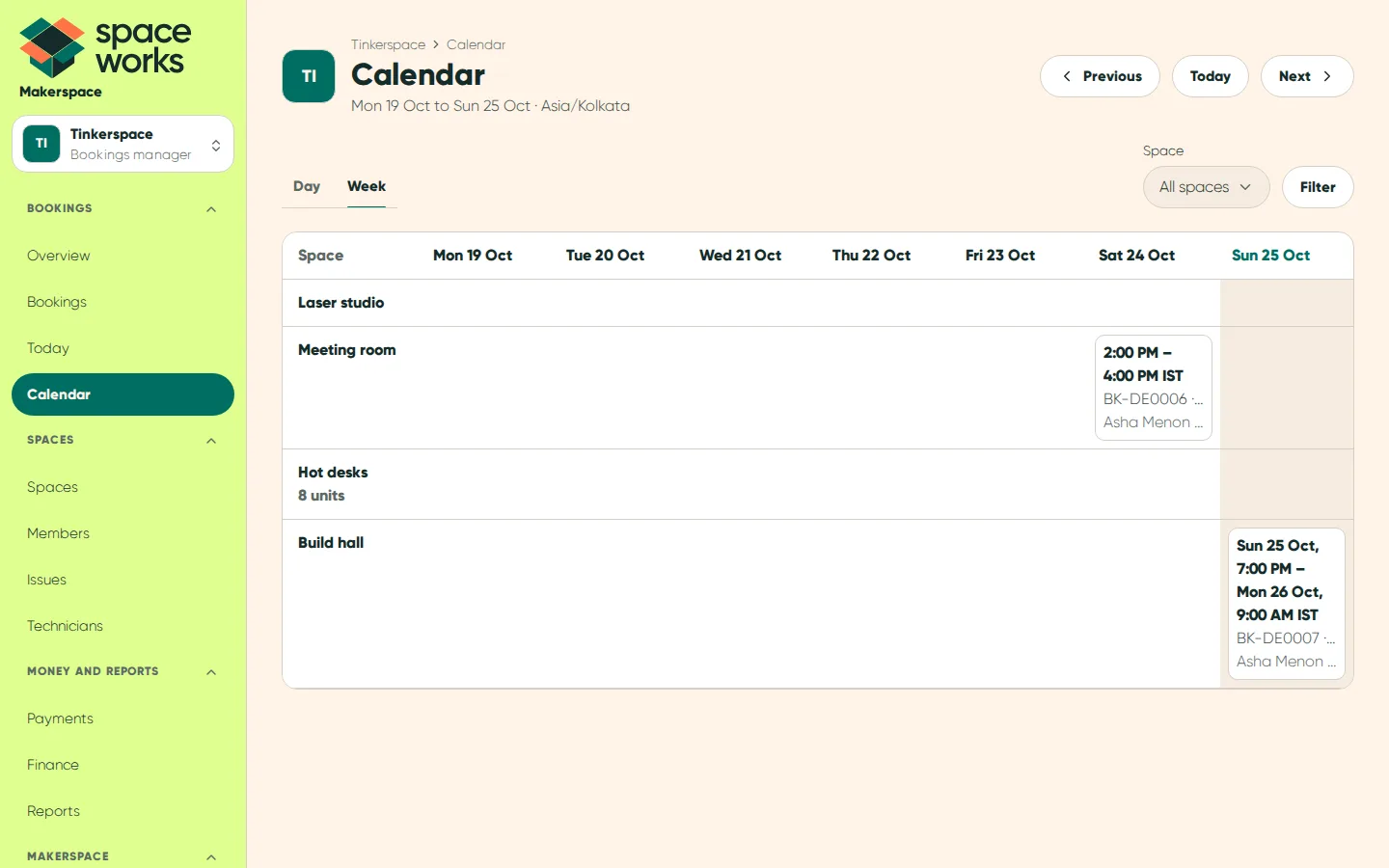
Calendar. Every space, every day of the week. |
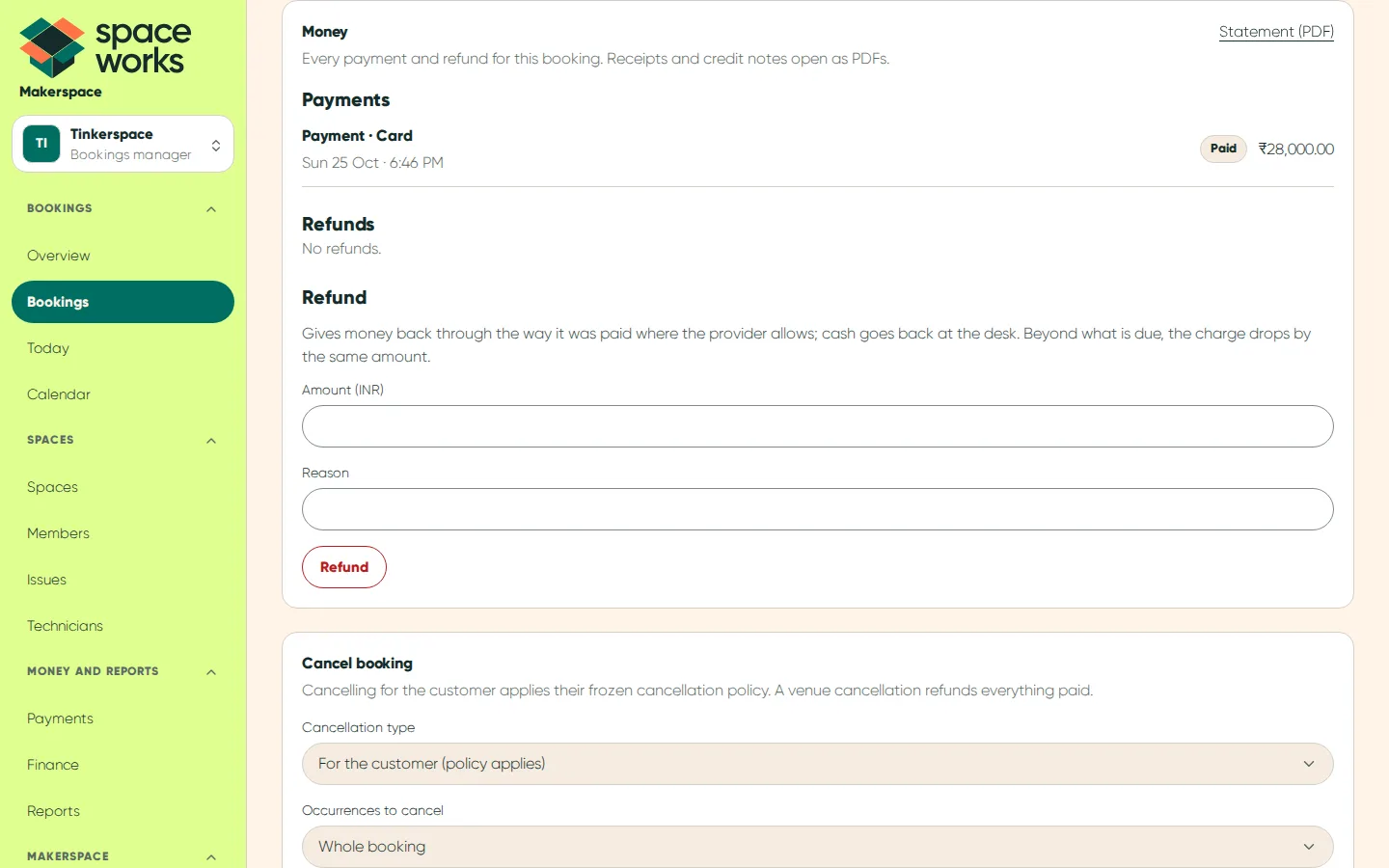
Money on a booking. Payments, refunds, receipts and a statement. |
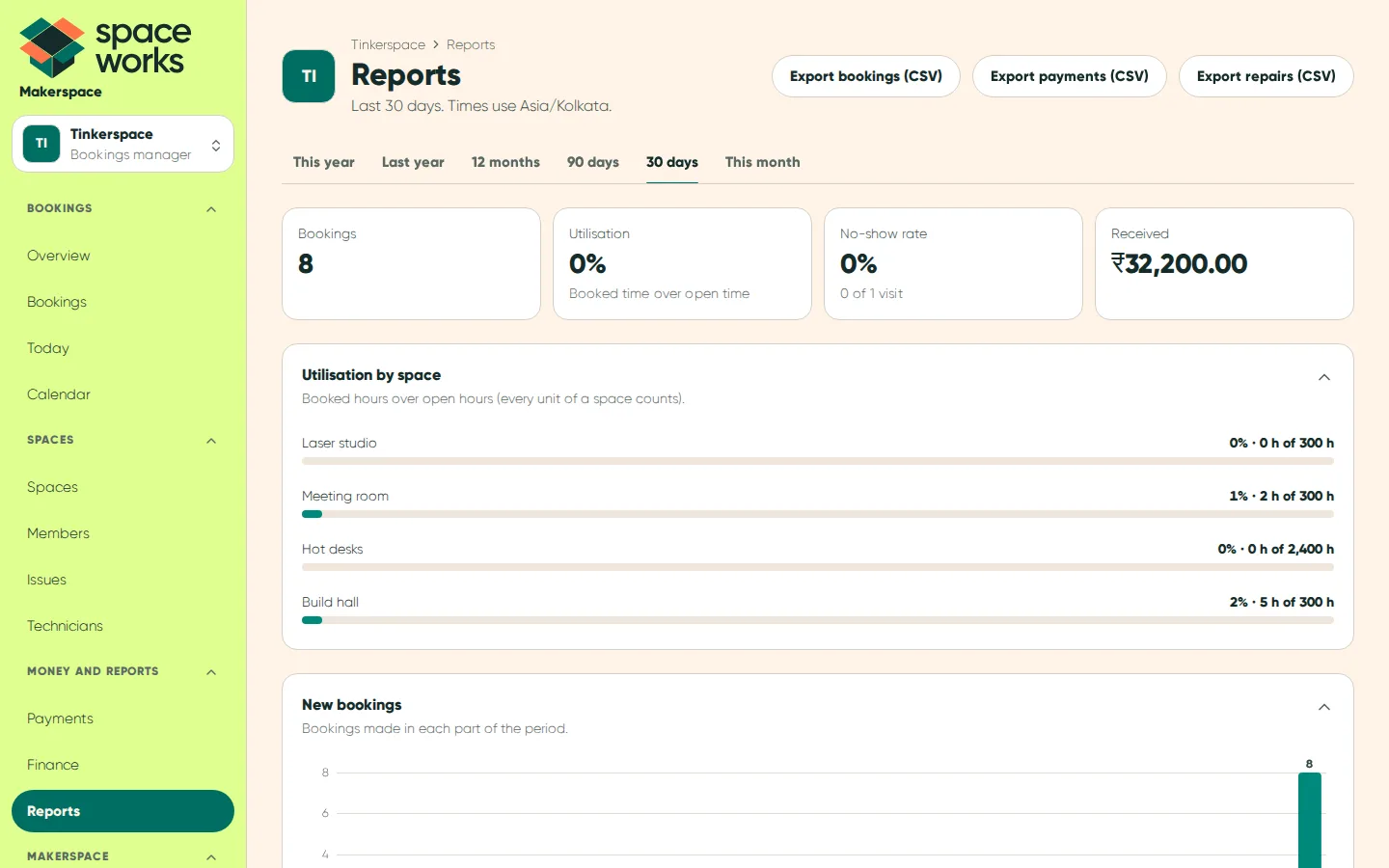
Reports. Utilisation, no-shows and money, with CSV exports. |
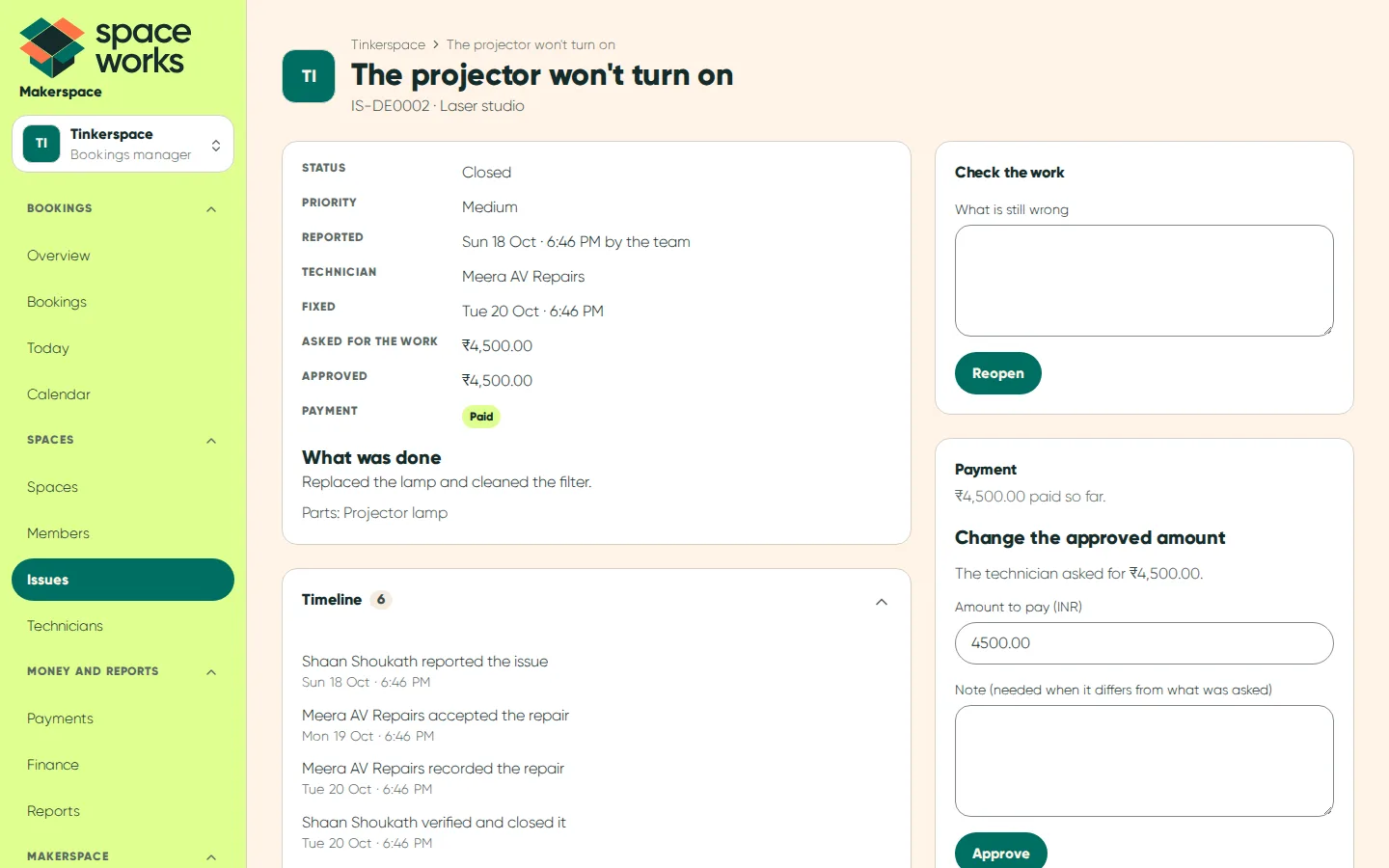
Repairs. From the report to the technician, the fix and the payout. |
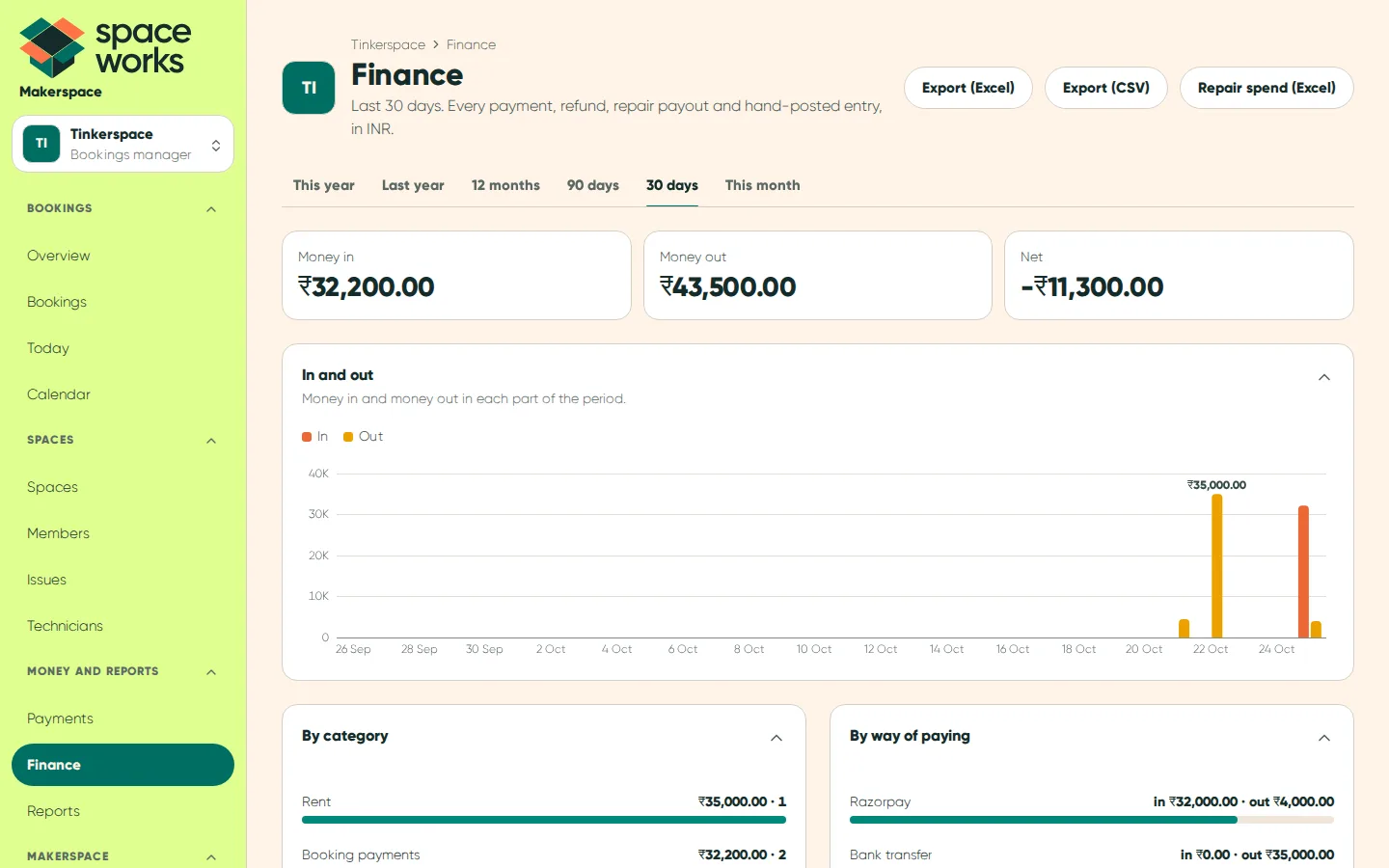
Finance. Every payment, refund, repair and expense in one ledger. |
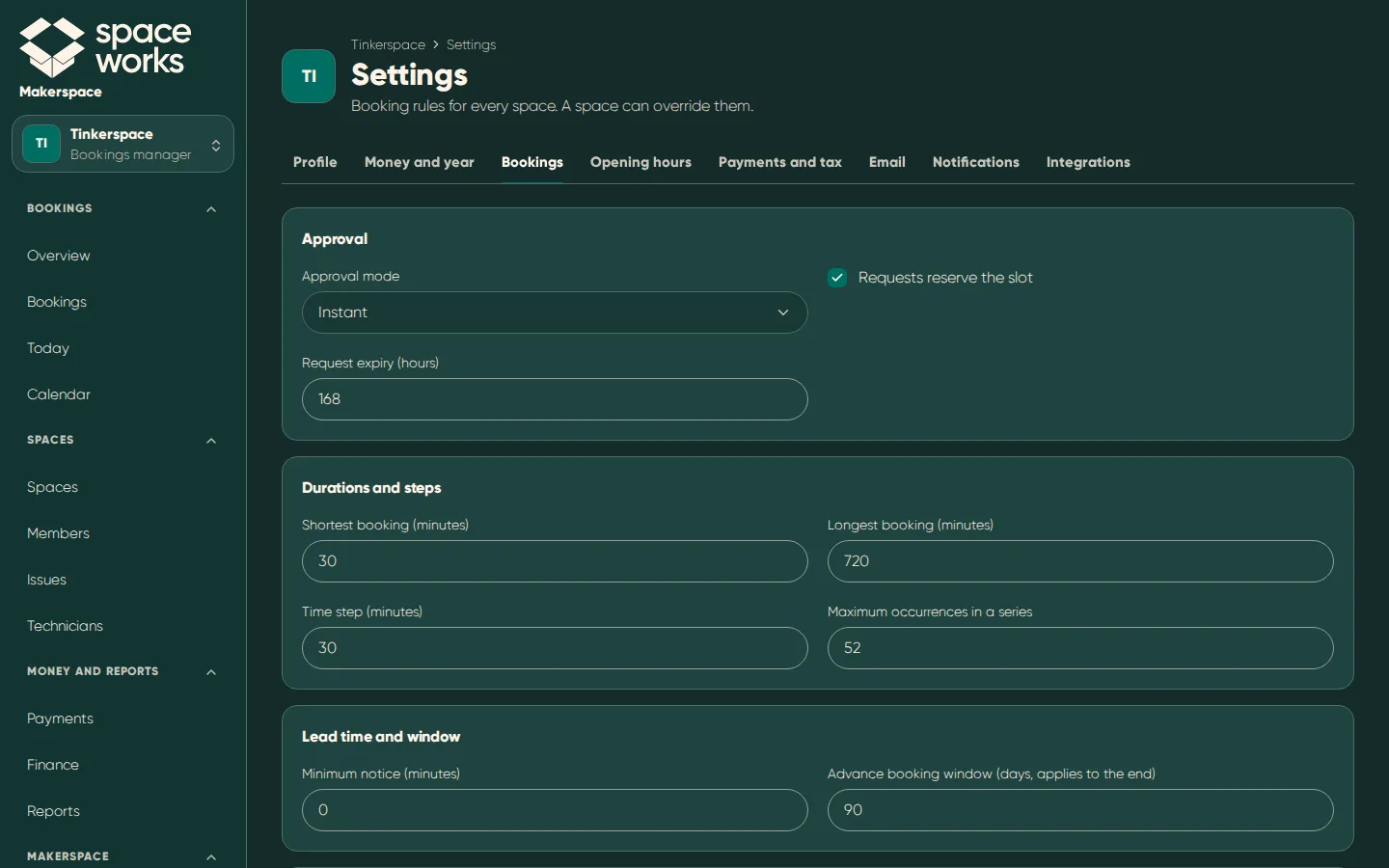
Booking rules, dark mode. Every rule a setting, nothing hard-coded. |
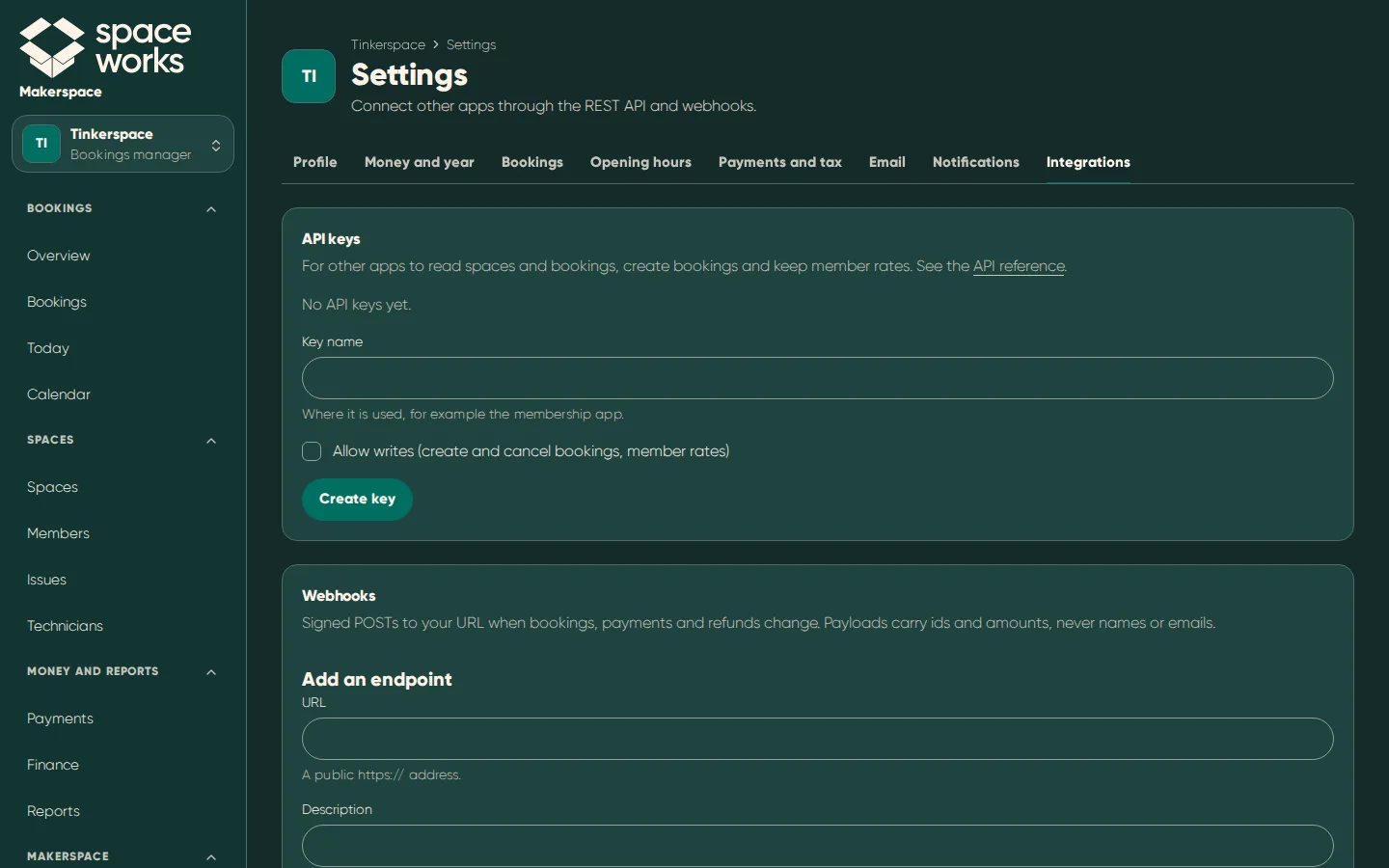
Integrations, dark mode. API keys and signed webhooks. |
Every screen is captured in light and dark mode under docs/screenshots, from the demo data
(node scripts/capture-readme-screens.mjs).
Host it on a VPS with Docker
The complete application runs on your own server with Docker: the website and API, a background worker and its scheduler, PostgreSQL, Redis and private file storage, behind Caddy with automatic HTTPS.
Install in one line
curl -fsSL https://raw.githubusercontent.com/SpaceWorks-Labs/SpaceWorks-Bookings/main/install.sh | bash
While the repository is private, export a token (repo, read:packages) and pass it to curl, or use the GitHub
CLI:
curl -fsSL -H "Authorization: Bearer $GITHUB_TOKEN" https://raw.githubusercontent.com/SpaceWorks-Labs/SpaceWorks-Bookings/main/install.sh | bash
gh api -H 'Accept: application/vnd.github.raw' repos/SpaceWorks-Labs/SpaceWorks-Bookings/contents/install.sh | bash
The installer checks the machine, asks its questions before changing anything, and installs Docker if needed. Until
the first release is published, build a branch from source with --ref main (or --ref dev). --dry-run runs the
checks only; --non-interactive with SWB_ANSWER_* answers installs unattended
(docs/DEPLOYMENT_VPS.md).
Update, back up and check
Run the installer again for its maintenance menu: update, status, backups, restore, rollback, settings, server security, super-admin recovery, support bundle and uninstall. The same tools work on their own:
bash scripts/status.sh                                     # release, services, worker and beat health, newest backup
bash scripts/update.sh --force [--version V | --rollback]  # update, or roll back
bash scripts/backup.sh && bash scripts/restore.sh backups/<dump>.sql.gz [--with-storage]
bash scripts/admin.sh create --email you@example.org       # super admins are made on the server only
Can the website live on Netlify and the backend on the VPS?
Yes. The website is a separate image that talks to the backend through a signed gateway and holds no database, mail or storage credentials; background jobs always stay on the backend. See docs/DEPLOYMENT_NETLIFY.md.
Run it in the cloud

render.yaml creates a managed PostgreSQL database, the website and the background worker and
scheduler; bring a TLS Redis (for example Upstash), an S3-compatible bucket (for example Cloudflare R2) and SMTP.
Any Docker host with managed services works with docker-compose.cloud.yml, and
DigitalOcean App Platform with .do/app.yaml. Details in
docs/DEPLOYMENT_CLOUD.md.
Quick start (local)
You need Node 22.9 or newer, Docker, and a terminal. The local stack includes PostgreSQL, Redis, private Silo storage and Mailpit for inspecting email without sending it to real recipients.
cp .env.example .env            # then fill in the secrets it asks for
docker compose up -d --wait     # PostgreSQL, Redis, Silo, private bucket and Mailpit
npm ci
npm run db:migrate
DEMO_PASSWORD=<12+ characters> DEMO_MFA_SECRET=<base32 seed> npm run db:seed-demo
npm run dev:stack               # web + BullMQ worker + beat on http://localhost:3000
dev:stack builds and supervises the web app, worker and beat together, with separate loopback health ports
3460 and 3461 (SWB_DEV_WORKER_PORT, SWB_DEV_BEAT_PORT). It stops siblings on failure and drains workers on
shutdown, including Windows. It refuses remote database, Redis, storage and SMTP targets before local startup.
The worker delivers queued email and chat notifications; beat schedules the outbox relay, reminders and reconciliation.
Inspect captured email at localhost:8025 and storage at
localhost:9001. The development credentials in .env.example are local fixtures;
the production one-line installer generates separate secrets and requires a real SMTP relay.
The demo makerspace is Tinkerspace (/m/tinkerspace) with four spaces, bookings and payments. Sign in as
manager@demo.test, front@demo.test or tech@demo.test with DEMO_PASSWORD and an authenticator code from DEMO_MFA_SECRET.
Without Redis, set JOBS_INPROCESS=true and leave REDIS_URL unset to run the background jobs inside npm run dev.
Design system
Space Works Bookings follows SpaceWorks-Design: Gilroy, pill-shaped controls, flat cards with 1px lines, light and dark mode for everything, and Patch, the Space Works wolf, on a few staff screens and the 404 page (docs/DESIGN.md, including its easter eggs).
| Colour | Hex | Used for | |
|---|---|---|---|
 |
Deep Ink | #142C2A |
Text, inverse surfaces, the dark mode ground |
 |
Warm Cream | #FFF4E8 |
The light mode ground, labels on teal |
 |
Maker Teal | #006E63 |
Primary actions, links and focus |
 |
Workshop Orange | #FF7447 |
One bold moment, with an ink label; never text |
 |
Citron | #DFFF8F |
Success, the dashboard sidebar, selection |
 |
Sky Blue | #B5CDFF |
Information |
 |
Warm Yellow | #FFD447 |
Warnings |
Documentation
| Read this | When you want to |
|---|---|
| Decisions | Know what is decided, by whom, and what only the owner can check |
| Architecture | Understand request flows, data and background work |
| Payments and GST | Follow money, refunds, receipts and tax |
| REST API and webhooks | Connect another system |
| Notifications | See which emails and alerts go out, and when |
| Security | Review sign-in, isolation and privacy |
| Configuration | Look up an environment variable |
| VPS deployment | Install, operate and update on your own server |
| Cloud deployment | Go live on Render, DigitalOcean or any Docker host |
| Netlify website + server backend | Split hosting |
| Design | Apply the brand, Patch and the easter eggs |
Common commands
npm run dev                  # development server
npm run lint                 # ESLint
npm run typecheck            # TypeScript
npm run test:unit            # unit tests
npm run test:integration     # PostgreSQL tests (TEST_DATABASE_URL, a disposable database)
npm run test:e2e             # browser tests against the seeded demo
npm run test:e2e:vps         # the whole production build in the browser
npm run build                # production build
npm run build:jobs           # the background worker and scheduler
Contributing
Issues and pull requests are welcome. Branch from dev and open your pull request into dev; main is the
released branch. Before you open it, run lint, the type check and the unit and integration tests, and read
CLAUDE.md (the same as AGENTS.md) for the conventions every change follows: tenancy,
roles, money, the 300-line file limit and the copy style. Write copy in British English, in sentence case.
Credits
Space Works Bookings is built by the Space Works team. Its platform (accounts, multi-tenancy, payments, receipts, outbox and operations) is forked from the Space Works membership platform, its background worker comes from SpaceWorks-Workspace, and parts of the platform from SpaceWorks-Events. The booking and payment rules are ported from the original SpaceWorks app. The name, logo, colours, fonts and Patch come from SpaceWorks-Design. See NOTICE.
Licence
GNU Affero General Public License v3.0 or later. If you run a modified version for others over a network, you must offer them its source.
From SpaceWorks-Bookings/README.md at 37a2113, updated 2026-10-29. Suggest a change